Small businesses can automate website inquiries, appointment reminders, order routing, invoice preparation and routine reports. Consider a cleaning service: a request from its website can become a customer record and a scheduling task, using information the office has already collected. Pricing and unusual requests can remain with the person who handles them. The best candidate is a task with a clear trigger, dependable information and a next step everyone understands.
Common tasks and the handoffs they create
These are common patterns. The steps you can connect depend on your website, calendar, payment tools and the records they can exchange.
| Task | Typical manual step | Possible automated handoff | Human checkpoint |
|---|---|---|---|
| New inquiries | Copy contact details from email into a lead list | Create a lead record and notify the right person | Review unusual requests |
| Appointments | Re-enter a confirmed time on the team calendar | Update a connected schedule and prepare a reminder | Resolve changes and double bookings |
| Estimates | Type customer details into a quote template | Prefill a draft with approved prices and scope | Confirm terms before sending |
| Invoices | Re-enter completed job details for billing | Prepare an invoice from a finished job record | Check totals, tax and adjustments |
| Order handling | Move website orders to a kitchen or work list | Place incoming orders into a shared queue | Verify capacity and exceptions |
| Documents | Request the same missing paperwork repeatedly | Flag missing items and prepare an approved request | Check sensitive or regulated information |
| Follow-up | Remember which inquiries need a reply | Create a follow-up task or approved message | Respect consent and contact preferences |
| Reporting | Combine figures from separate tabs | Summarize existing records in a dashboard | Review the underlying numbers |
Choose one task that already has a clear rule
When a repeat customer requests their usual service, you may already know the intake questions, the schedule rules and who should receive the request. That is a sensible candidate. A complex custom job with changing scope is different. It may benefit from a structured record and an estimate draft, but a person still needs to decide what to offer.
Write down the trigger, the information needed, the result and the exception. For example: When a website form arrives, create a new inquiry with the customer's name, preferred contact method and requested service; alert the office; flag anything incomplete. That simple statement is a usable starting specification.
Service jobs and kitchen orders
A shared schedule and customer record
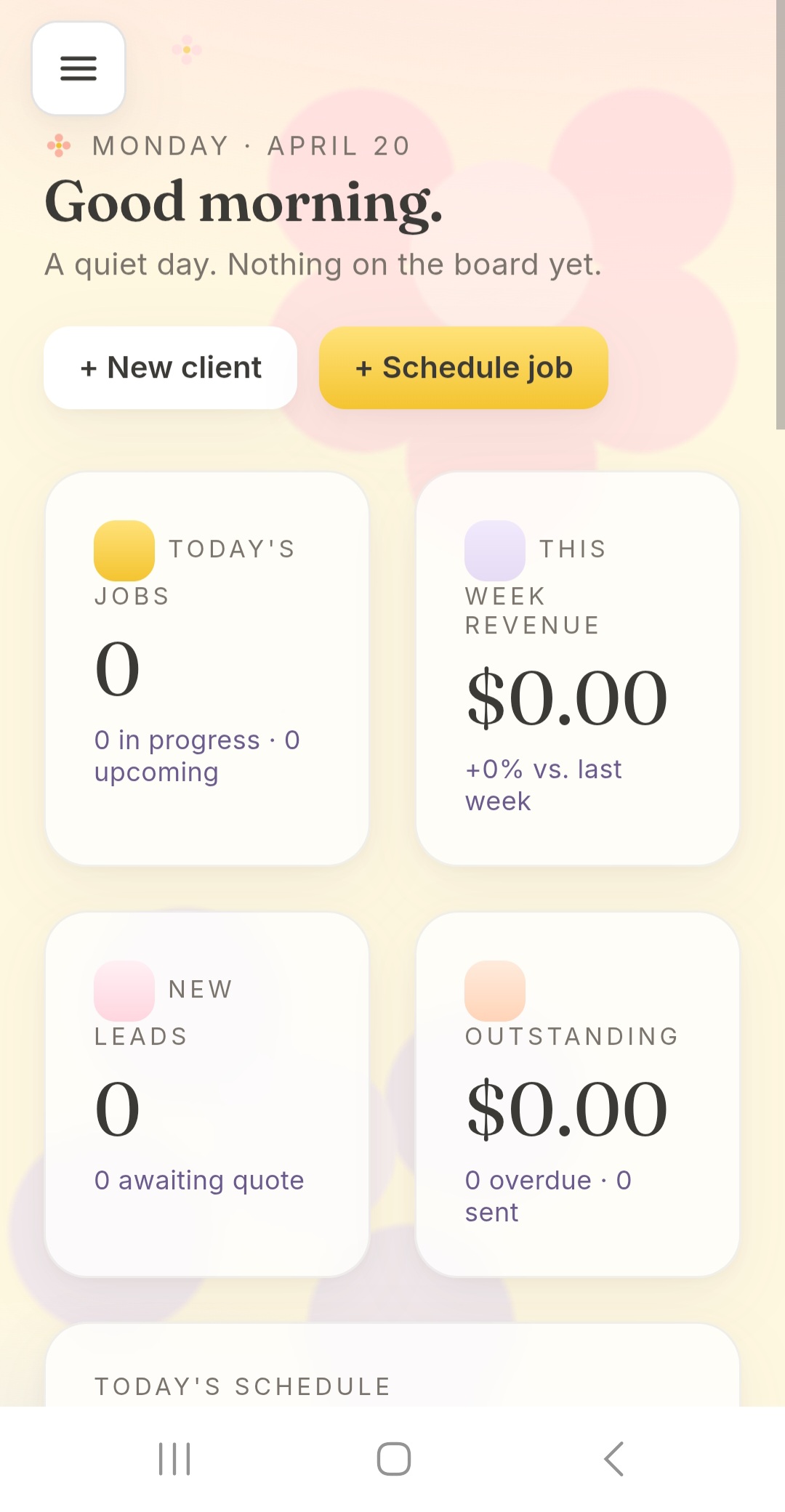
LEMONADE keeps customer information, scheduled work and invoices in one service-business system. Its mobile dashboard shows the day's work alongside outstanding items.
From a customer's order to the kitchen queue
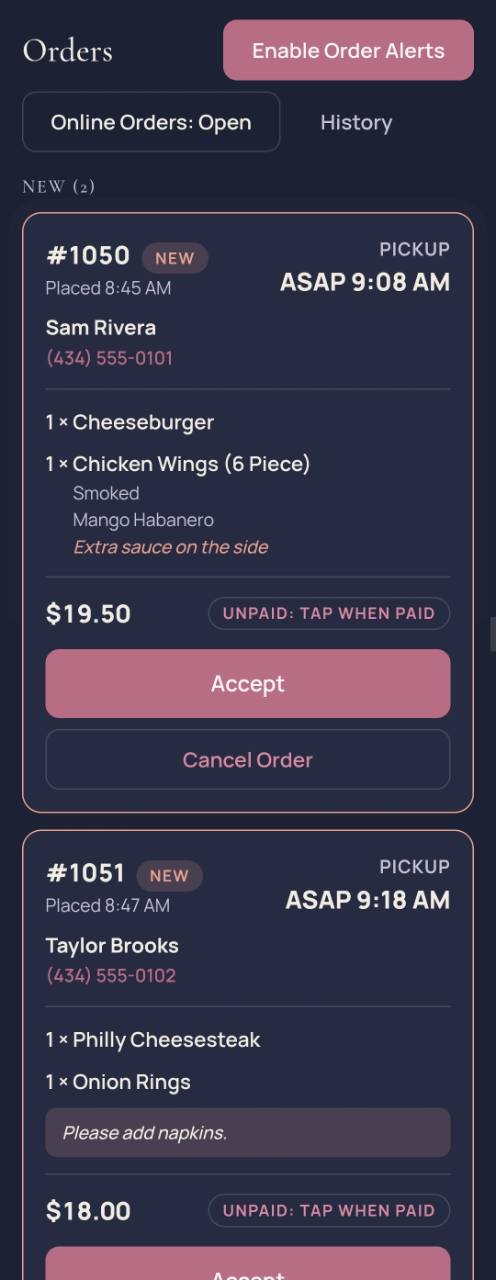
ORDERUP is designed for delis and local kitchens taking online pickup orders. Its branded ordering website and kitchen queue keep new requests visible to the people preparing them, while the business continues using its counter payment process.
Where a spreadsheet is still fine
If a company has one appointment calendar, a small customer list and very few handoffs, a spreadsheet can work perfectly well. A new system earns its place when it reduces repeated entries, keeps a shared record accurate or makes an important next action visible. The aim is a process people trust, not the largest collection of tools.
How to test your first workflow
- Pick one recurring task and write its rule in plain language.
- Run five to ten sample cases, including one exception.
- Have the person who owns the task review each result.
- Count actual corrections and missed steps, not imagined time savings.
- Keep a simple way to pause or take over the process.
Before choosing any software, trace one request from arrival to completed work. You should be able to see where information changes, who approves the next step and what happens if something needs correcting. Browse our business systems to compare the workflows used in different industries.