Cypress gives a residential builder a clear view of active jobs, crew schedules, permits, subcontractors, contracts, cash, and client updates. We build it around the way your company already works, then keep it running for you.
Already builtLive in 30 days$1,999 build + $299 monthly
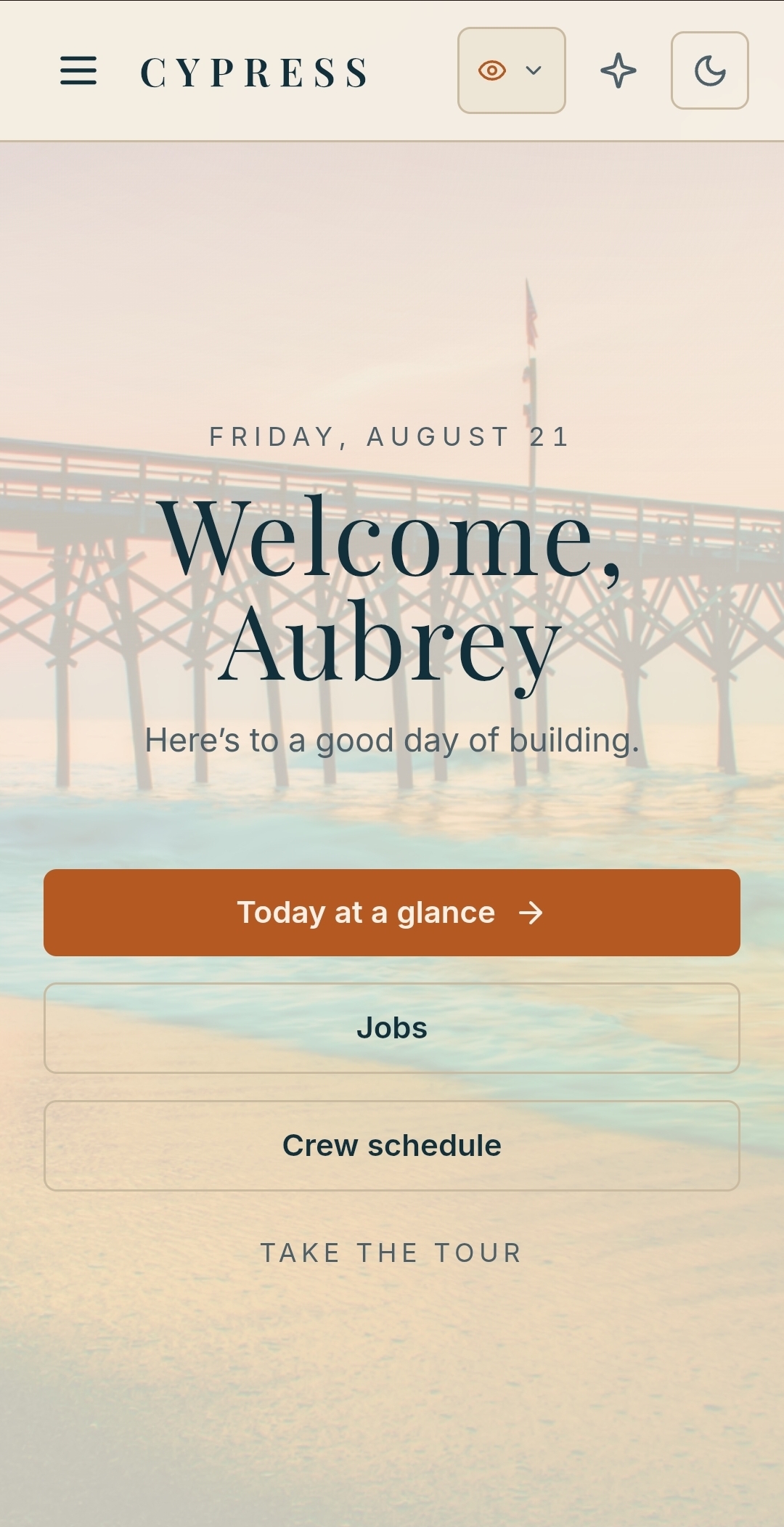
Morning viewToday, jobs, crew
THE WORKING VIEW
Open the day with the facts already in front of you.
See what is scheduled, what needs approval, which paperwork is nearing its date, and where the money stands before the first meeting begins.
The owner gets the company view. Project managers, crew, subcontractors, and clients each get the part that belongs to them.
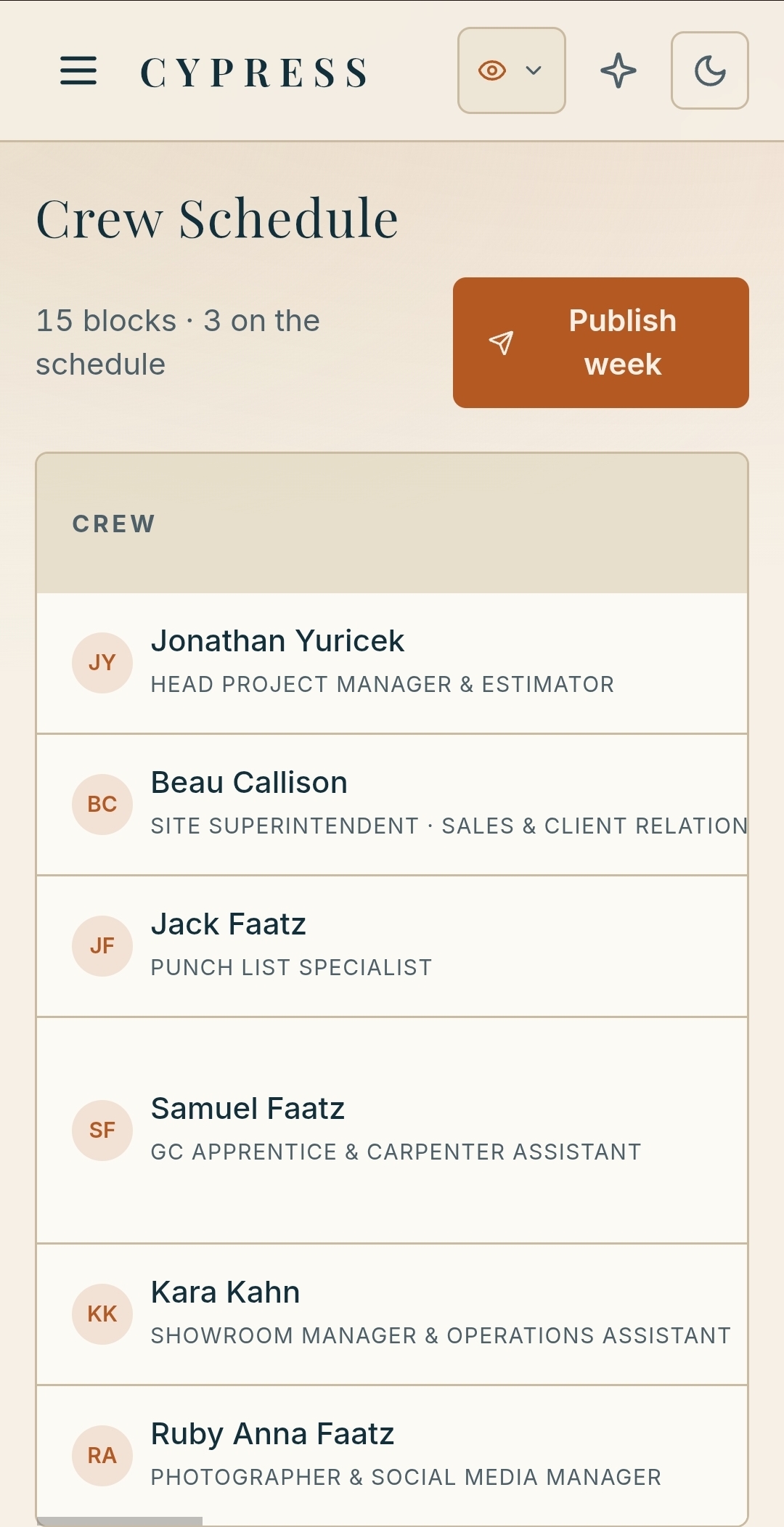
Crew scheduleOwner's money view
Built around the way your company runs.
Every job keeps its photos, permits, contracts, change orders, logs, invoices, and messages together. Cypress gives each person the right working view while the owner keeps sight of the whole company.
WHAT CYPRESS KEEPS TOGETHER
The record stays with the job.
Open a project and find the paperwork, site photos, schedule, client decisions, invoices, and current people. The details remain useful during the build and years after closeout.
THE COMPANY VIEW
Move from today’s work to the full job record.
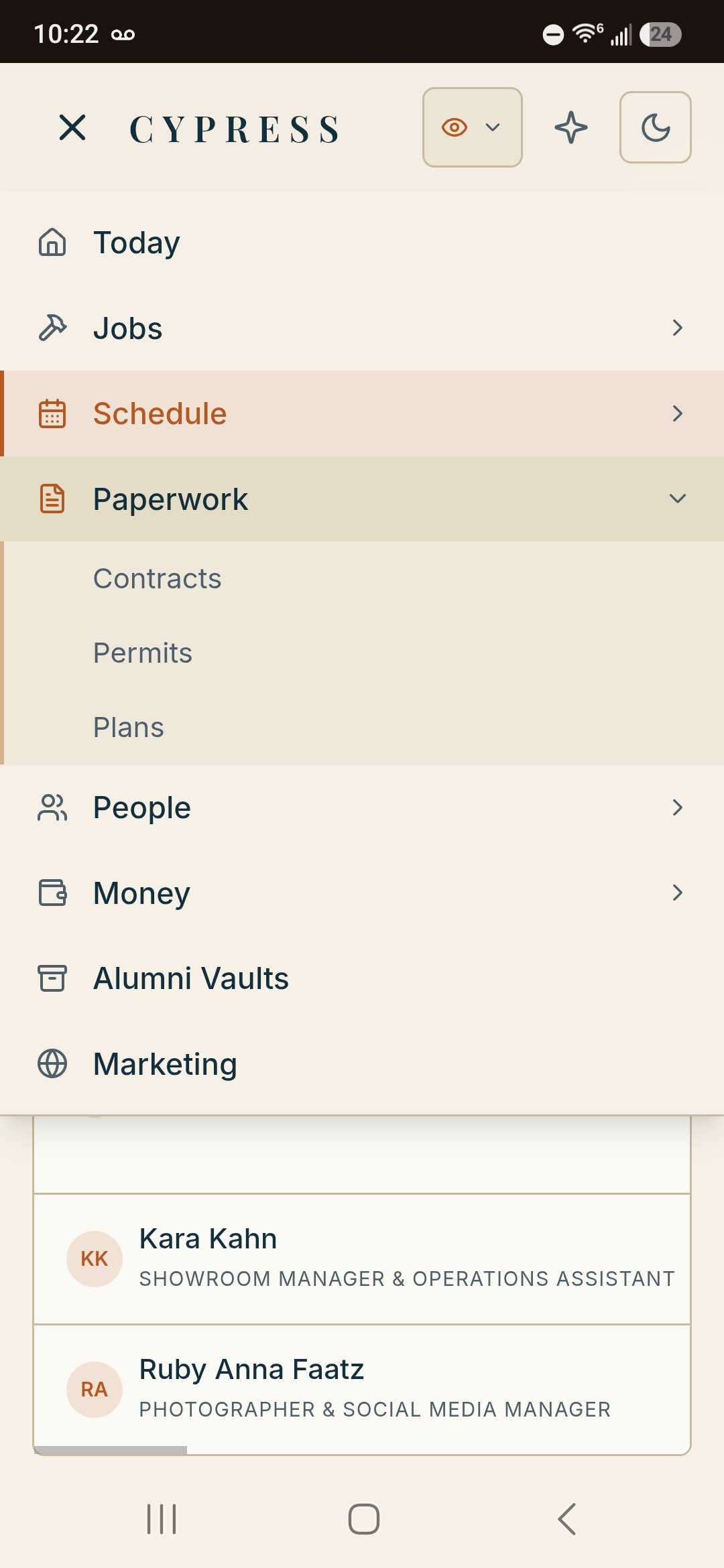
The menu follows the way a builder thinks: today, jobs, schedule, paperwork, people, money, alumni records, and marketing. Each section connects back to the project it belongs to.
Owner, project management, field, subcontractor, and client access
JOB FILES
Paperwork that is ready when the job needs it.
Contracts, change orders, plan sets, permits, invoices, messages, and site photos remain filed under the project. Past work stays searchable for a warranty question or a new referral.
Photos keep the job, date, and phase attached
CONTRACTS
Current versions, signed and easy to reach.
Pull up the contract or latest change from the office, the truck, or the jobsite.
MONEY
See what has been billed and what is still due.
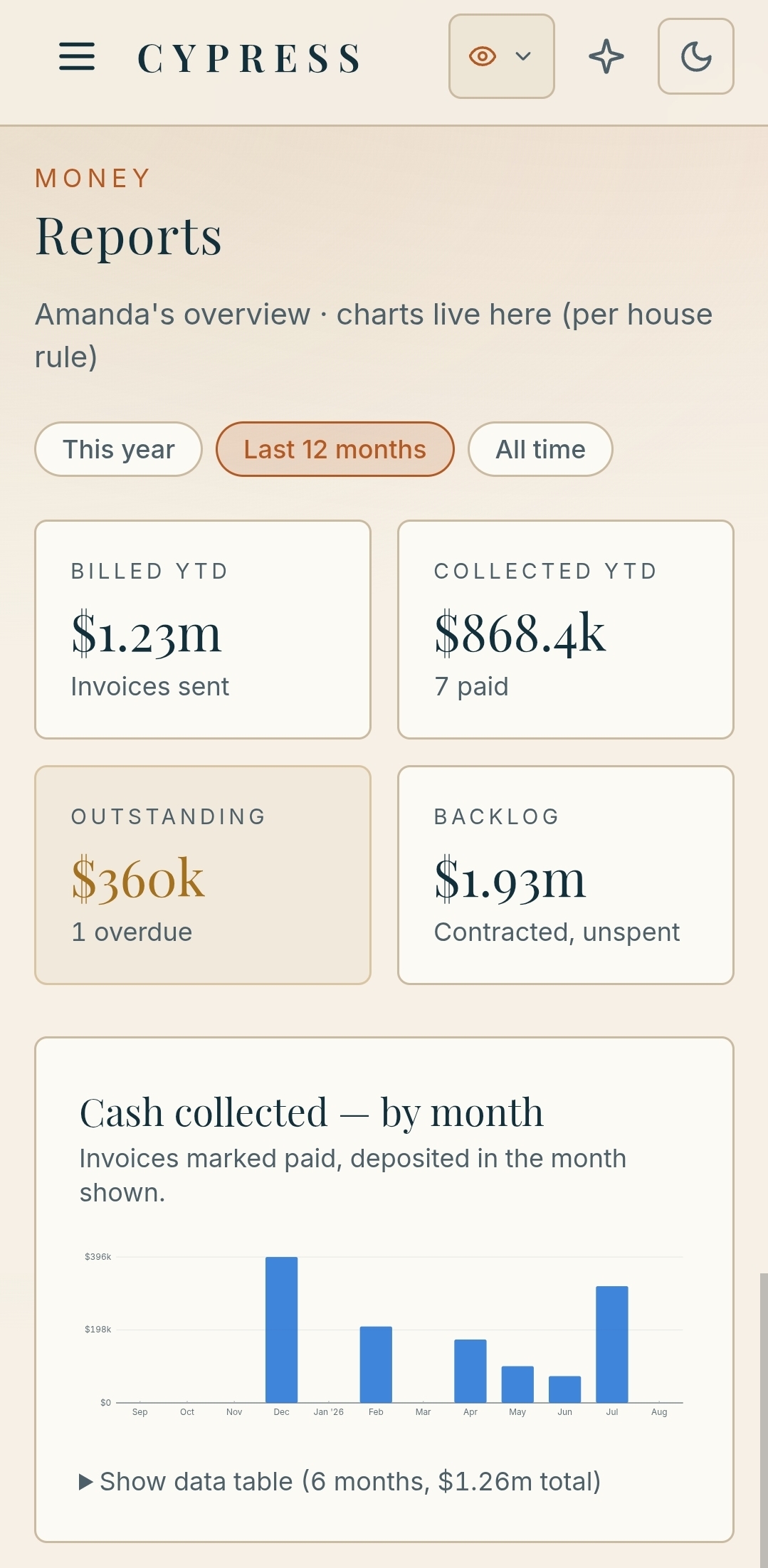
Revenue, collections, outstanding invoices, backlog, and monthly cash remain available to the owner.
BRANDED DOCUMENTS
Your company is on every client-facing record.
Contracts, changes, walkthroughs, and warranty records carry your letterhead and language.
Alumni vaults preserve the finished job. Documents, product details, paint colors, and client history remain available after closeout, ready for a warranty call or the next project.
PERMITS & SUBCONTRACTORS
The dates that can change the week are visible early.
Cypress tracks permit expirations across jurisdictions and keeps each subcontractor’s certificate of insurance on file. Upcoming dates appear before they affect the schedule.
PERMITS
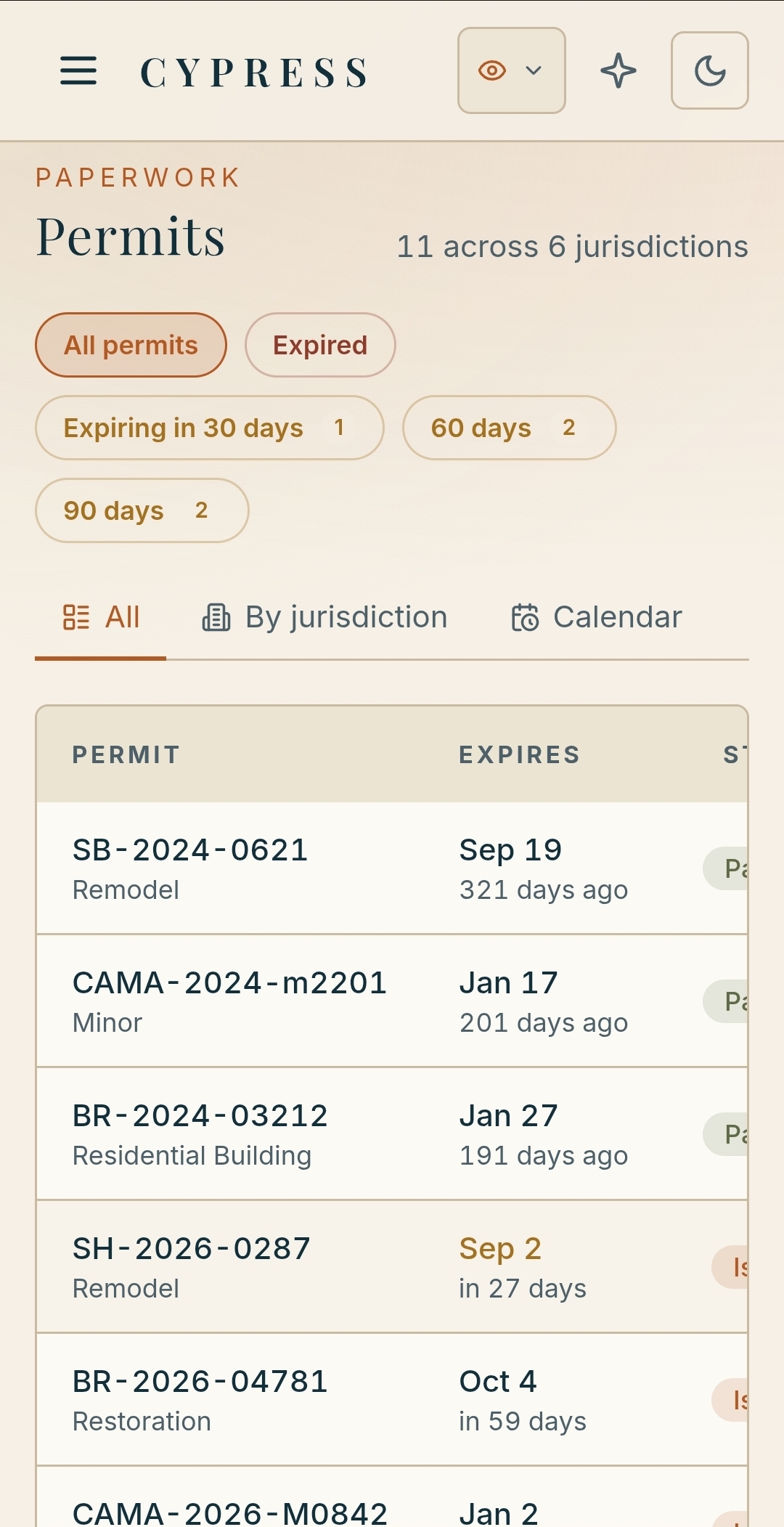
30, 60, and 90 days of notice.
Each permit carries its number, type, jurisdiction, expiration date, and inspector history. View the full list, sort by jurisdiction, or work from the calendar.
SUBS & COIS
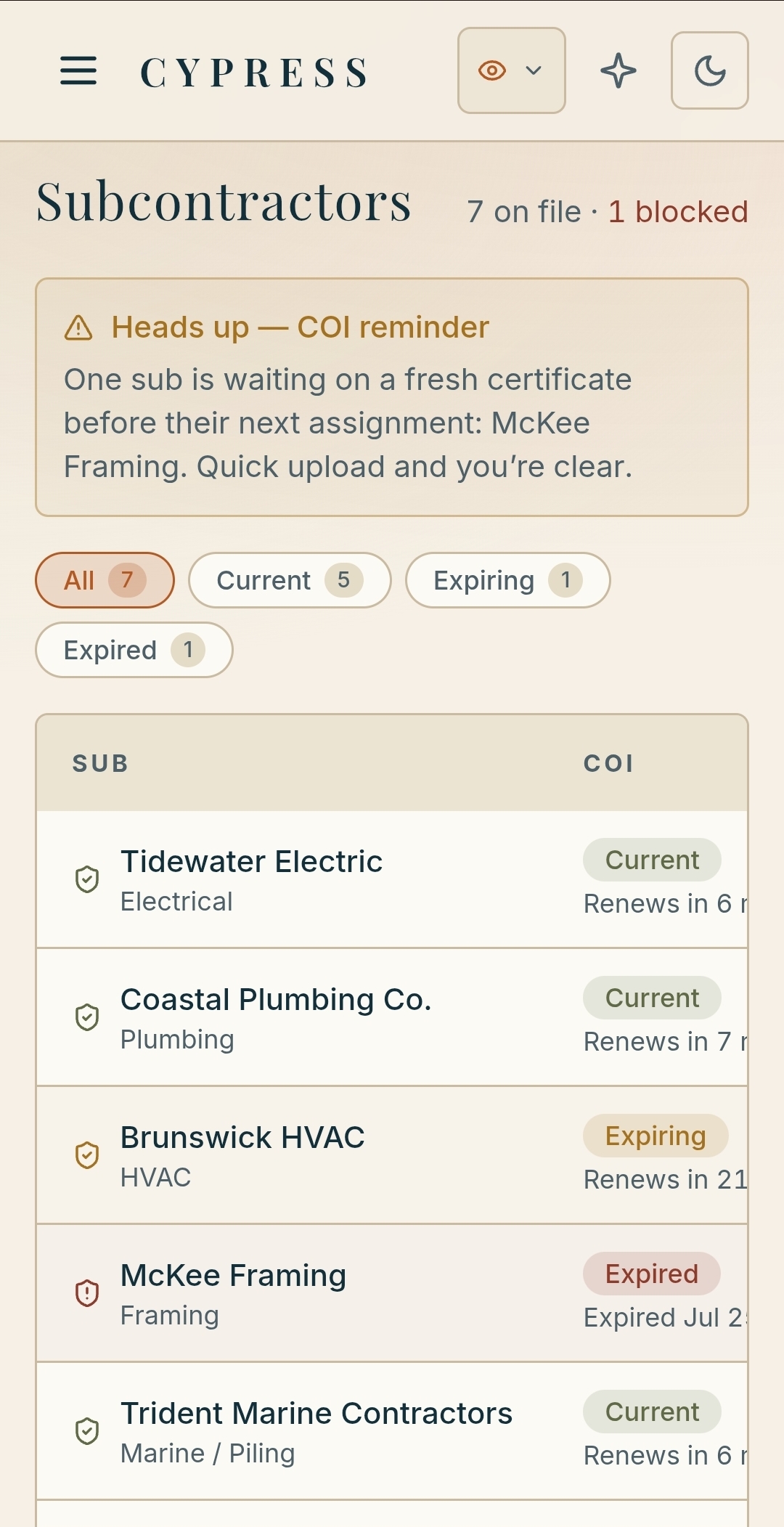
Current paperwork before the next assignment.
Every subcontractor has a clear status. Expiring or missing coverage appears before that company returns to the schedule.
THE CLIENT EXPERIENCE
Clients can check the project without asking for a separate update.
The portal changes with the relationship. Active clients see their current project. After closeout, the same login becomes a lasting record of the home.
ACTIVE PROJECT
Progress, selections, invoices, and approved photos are presented from the same records your company uses.
AFTER CLOSEOUT
Documents, product details, paint colors, and warranty information stay available in the alumni vault.
NEW INQUIRIES
Leads from your public website arrive inside Cypress, ready for follow-up without another inbox to maintain.
YOUR PUBLIC WEBSITE
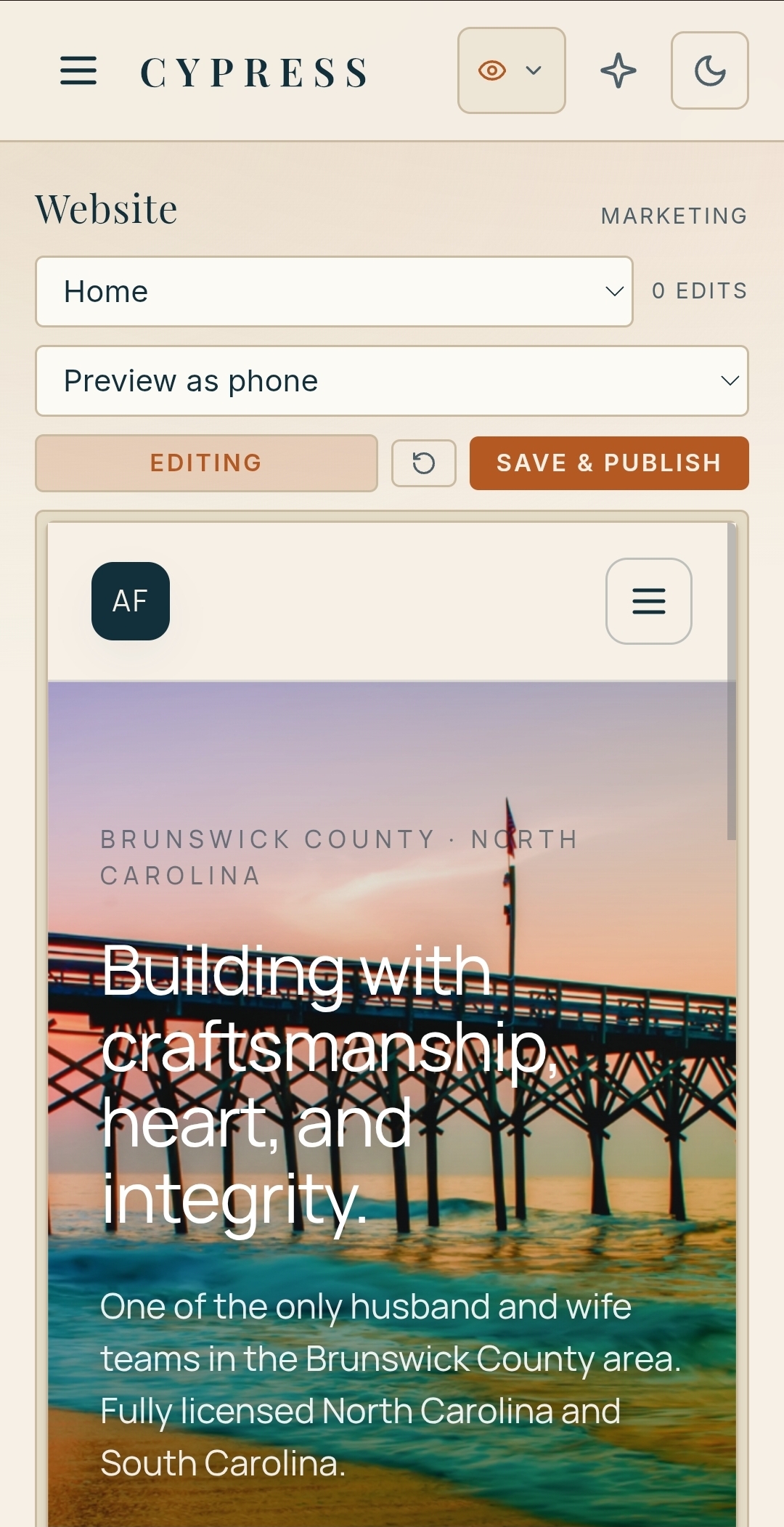
Update the work people see without waiting on a developer.
Change the homepage, replace project photos, add a portfolio entry, or revise contact details from the marketing area in Cypress. Preview the page and publish when it is ready.
Website inquiries enter the same client workflow
BUILT IN
The website belongs to the same company record.
Your portfolio, inquiries, and client information stay connected to the work behind them.
FROM THE OFFICE TO THE SITE
Each person opens Cypress to the work that belongs to them.
The owner can review company numbers. Project managers can move through active jobs. Crew members see today’s address and scope. Subcontractors see their assignment, while clients see only their own project.
OWNER
Billed, collected, outstanding, backlog, and monthly cash, with the jobs behind each number.
PROJECT MANAGER
Active jobs by phase, upcoming inspections, open decisions, and the work due today.
CREW
The address, scope, schedule, and photo upload for the day’s assignment.
SUBCONTRACTOR
Their assigned scope, current jobs, certificate status, and day-of contact.
PHONE & DESK
Approve from the office, check the day from the truck, or upload site photos where the work happens.
YOUR ACCOUNTS
Your company owns its records and deployment. We manage the hosting, updates, and support.
THE OWNER’S VIEW
See the company totals and the jobs behind them.
Review what has been billed, what has cleared, what remains outstanding, and the contracted backlog. Then open the job behind the number instead of rebuilding the answer from separate reports.
REPORTS
A concise financial view tied to the work.
Cypress keeps the owner’s working numbers close to the projects that created them. The view is concise enough for a morning check and detailed enough to open the record that needs attention.
THE DIFFERENCE
Keep the company record intact from the office to the site.
WHEN THE RECORD IS SPLIT
Schedules and field updates live in separate apps and group texts.
Certificates and permits depend on someone checking the right folder.
Contracts and changes are harder to reach from the site.
Financial reports arrive after the work has moved on.
Website updates require another request and another wait.
WITH CYPRESS
Jobs connect the people, files, photos, schedule, and client decisions.
Permit dates and certificate status are visible before the next assignment.
Owner reporting opens into the underlying project record.
Active clients and alumni use the right version of the portal.
Your team can update the public website from Cypress.
THE BUILD
We start with how your company already works.
01
MAP THE WORK
We review your job types, crew structure, subcontractors, permit jurisdictions, current records, and the steps you want Cypress to support.
02
CONFIGURE & BRAND
We set up your roles, project structure, document language, alumni archive, and public website. Your company appears on every client-facing surface.
03
GO LIVE
We open the accounts, walk each role through its view, and launch the client portal. Cypress is delivered within 30 days of kickoff.
INVESTMENT
Setup and launch, then managed monthly.
BUILD AND LAUNCH
$1,999
ONE TIME. LIVE WITHIN 30 DAYS
Company setup, branding, roles, and job structure
Jobs with photos, permits, contracts, changes, logs, invoices, and messages
Permit tracking with 30, 60, and 90-day alerts
Subcontractor directory with certificate tracking
Owner financial reporting and project-level records
Active client portal and alumni vault
Editable marketing website with inquiry routing
Owner walkthrough and staff training by role
THEN, RUNNING & MANAGED
$299 / MONTH
Hosting, updates, and support are included. We keep Cypress running while your company owns its records and deployment.
Cancel anytime.
Each Fabrizio Tech system is licensed for the operation of your own business. Subscriptions grant access while active. The platform itself may not be resold, redistributed, or made publicly available in whole or in part.
FAQ
Questions builders ask before a walkthrough.
Cypress is for residential general contractors, remodelers, and custom home builders managing several active jobs with employees and subcontractors.
The owner sees company reporting. Project managers see active jobs and open work. Crew members see today’s assignment. Subcontractors see their scope and current paperwork. Clients see only their project.
Active clients can review progress, selections, invoices, and approved photos. After closeout, the portal becomes an alumni vault with documents, product details, paint colors, and warranty records.
Each permit includes its number, type, jurisdiction, expiration date, and inspector history. Cypress provides 30, 60, and 90-day expiration views, plus jurisdiction and calendar views.
Yes. Your team can change wording, replace photos, add portfolio projects, preview the page, and publish from the website area in Cypress.
Cypress is delivered within 30 days of kickoff. We configure the system around your company before training and launch.
The build fee is a one-time $1,999. Ongoing hosting, updates, and support are $299 per month. The monthly service can be canceled at any time.
Ready to run CYPRESS?
Tell us about your company and we scope the build. Cypress is delivered within 30 days of kickoff.